PATH5#obchody#crm
Unified case journey and next step
Every case – a property, an inquiry, or a deal – now follows the same journey with the same steps. At a glance you can see where a case stands, what has already happened, and how it ended: for a closed case the date and outcome are shown in plain text.
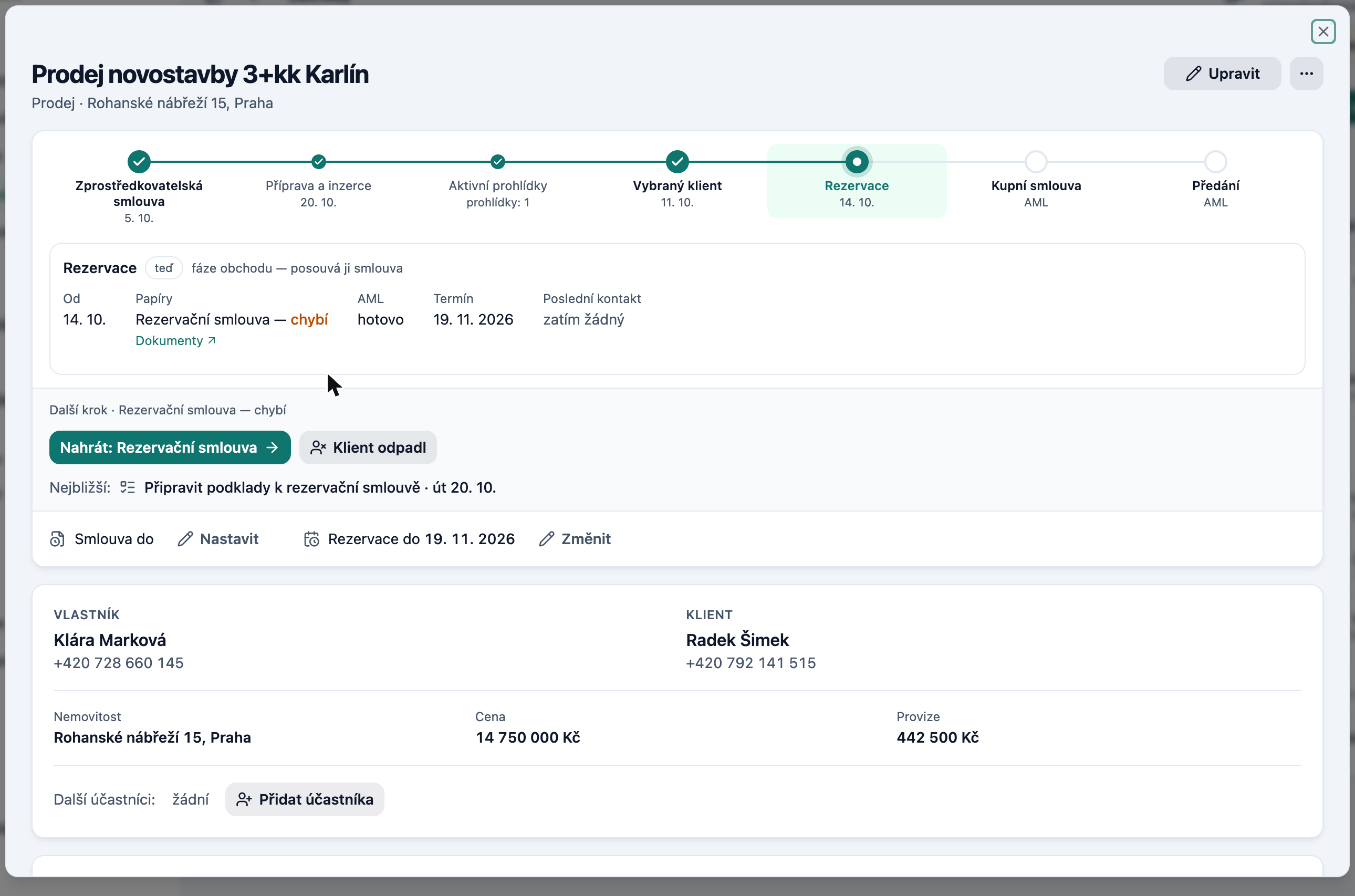
Each step includes a hint: what documents are needed, what the deadlines are, what the task is, and the latest correspondence. A small dot with the journey indicator appears in the property, inquiry, and deal lists, and on a contact card you can see all cases for that person. Lists can be filtered and sorted by step and by whether a case is stalled.
We will now also draw your attention to the next step: on case cards, on the dashboard, and in the Today view in the "What requires me" block.