POL1#komunikace#prohlidky
Send to Client — email and quick channel, one window, short
The Send to Client window (viewing confirmation, property offer, message to the owner) no longer requires you to choose a single channel: email is always sent when the recipient has an address, and alongside it you can enable one quick channel — WhatsApp, Telegram, or SMS. If a channel cannot be used, the window explains why ("no address", "client hasn't written yet", "SMS is disabled") and suggests what to do: add a contact, enable SMS, or write from your phone. In the demo office, the notice appears at the top of the window — not after sending.
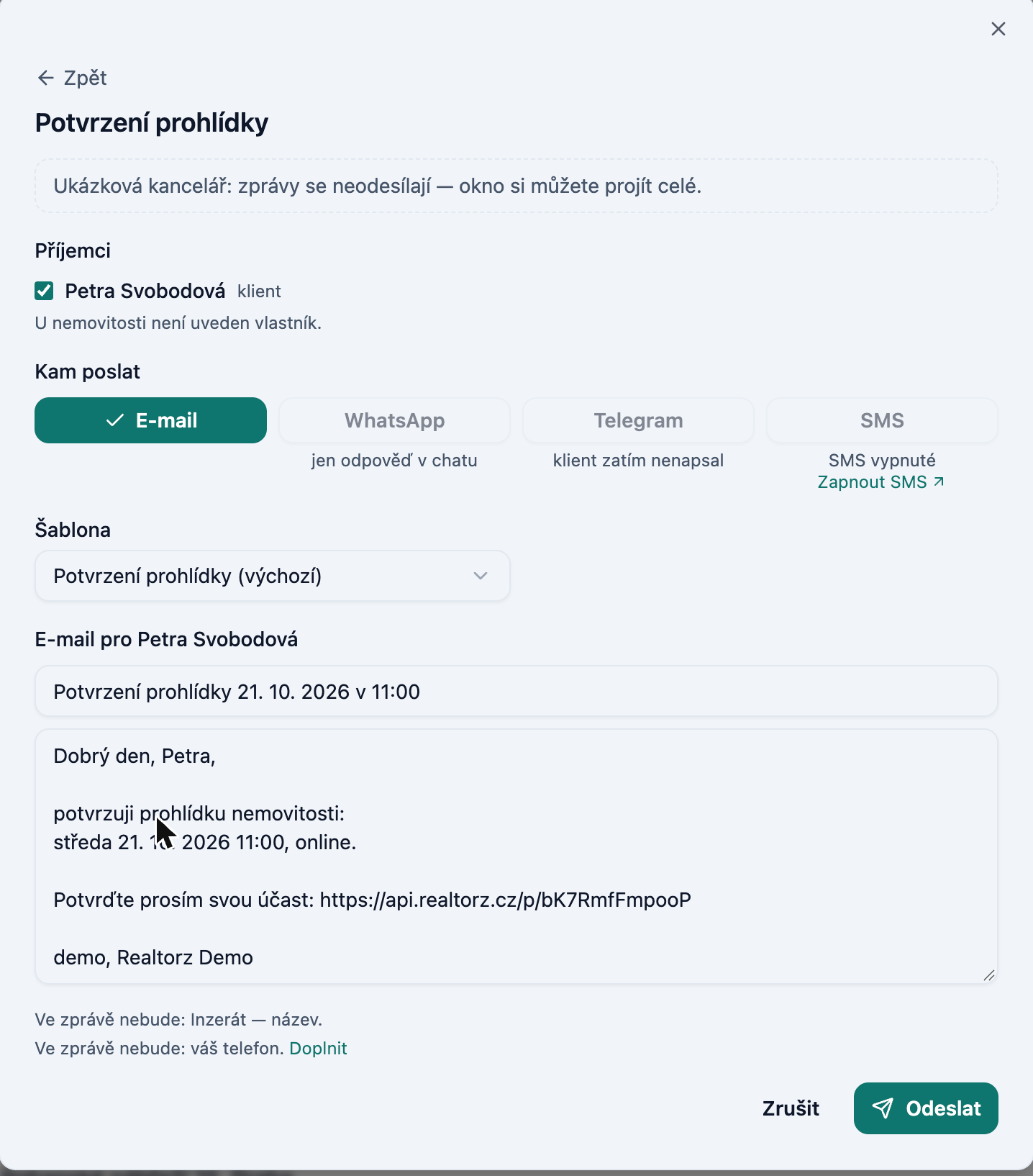
One window on the screen
From a viewing or deal card, the email, viewing result, or property selection opens in the same window as a step with a ← Back arrow; Esc goes one step back. You select recipients by ticking checkboxes directly in the message window (viewing clients + owner, each receiving their own text in a single send) — the separate "Who to notify?" window is gone.
Viewing confirmation with a short link
Both the email and SMS about a viewing include a button / short link Confirm instead of a long URL. The confirmation SMS is now one segment instead of three — cheaper and easier to read. Rescheduling a viewing invalidates the old link; a new one arrives with the new time. URLs in the email are clickable.
Multiple properties in one email
On the inquiry card, tick several properties and click Send selected (N): the client receives one Property Offer email with a block for each property, a PDF presentation, and a link. The selected properties appear as tags in the window.
Recipients by deal
At the top of the recipient list are clients whose inquiry matches the property (tag inquiry match); the owner is last (tag owner). The Matches from inquiries row adds them all in one click.