ERR1#crm#komunikace
Why a message failed to send — explained in plain language, and editing already sent messages in messengers
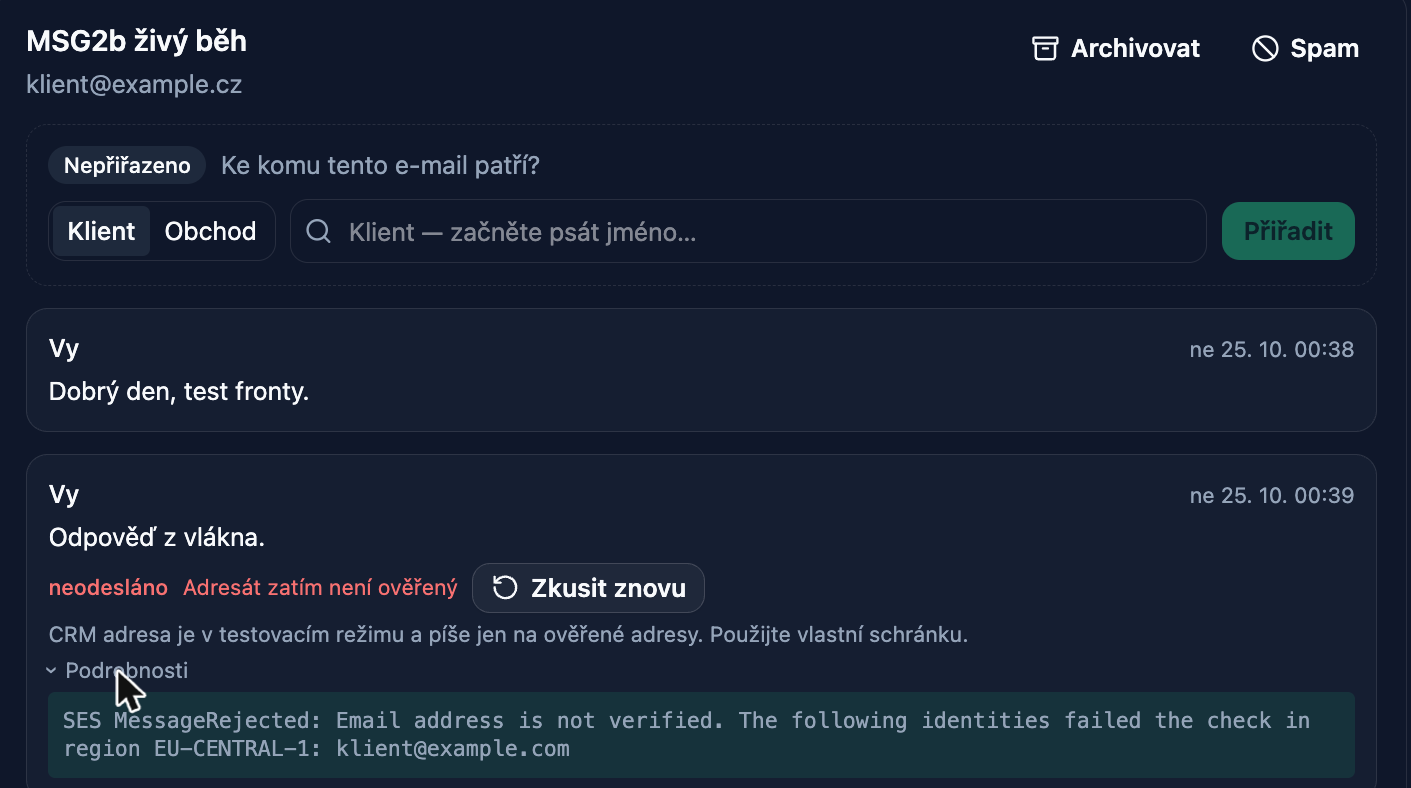
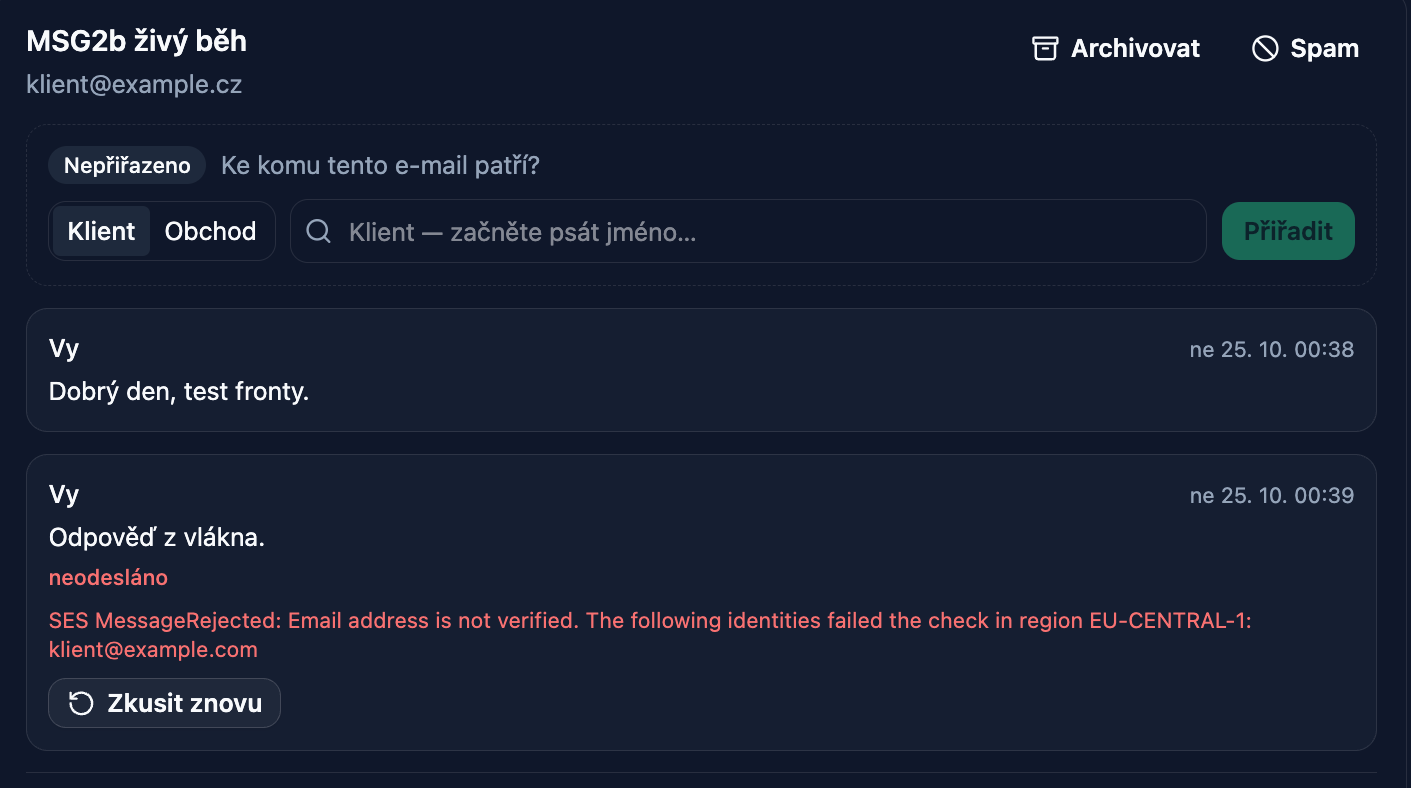
When a message fails to send, the thread now shows the reason in plain language — in the interface language and with a hint on what to do — instead of a raw English line from the mail server.
- Reason in plain language. "Adresát zatím není ověřený", "Schránka odmítla přihlášení", "Příloha je moc velká", "Příjemce je v kanálu nedostupný" — for email, Telegram, WhatsApp, and SMS. Below the reason — what to do: update the password in Channels, reduce the attachment size, try again later. Where you need to go to Channels, there is a direct link.
- Details under expansion. The technical text is still there — hidden under "Podrobnosti", for support purposes. "Zkusit znovu" remains in place.
- Same wording in Channels and in the assistant. A broken connection in Channels is labelled with the same phrase, and the assistant, reading the thread, explains the reason instead of quoting the server.
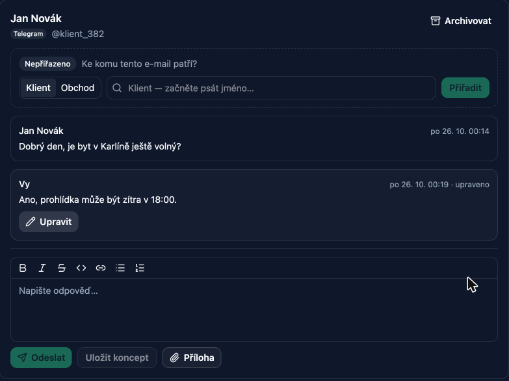
- Editing sent messages. Your own messages in Telegram (business bot and personal account) and WhatsApp now have an Edit button: the edit is delivered to the client in the messenger, and the thread shows an "upraveno" mark. You can edit your own message within the channel's time window: Telegram — 48 hours, WhatsApp — 15 minutes. Email and SMS cannot be edited after sending — that is how those channels work.
- Ukázková kancelář honestly indicates that messages from it are not sent — for any channel, not just email.